
Baifo is an online prayer / blessing app — and a DYQR customer. They recently shipped two share surfaces: a “recommend to friends” poster and a prayer-record poster. Both carry a QR code with a simple brief: if the scanner is an iPhone, send them to the App Store to download the app; if it is any other device (no app yet), guide them to the web version.
Almost every team that promotes a mobile app hits this. Below is both their integration story and a tutorial you may need yourself.
Why not a home-grown User-Agent fork?
At first they planned a /get route on baifo.life: read the User-Agent, regex for iOS, then 302 to the right target. The QR would always point at that URL.
That works — but it means building a full stack of infrastructure:
- Routing rules — later Android store links, region-specific destinations, and every change mean code, test, and redeploy
- QR analytics — beyond “someone scanned,” you need click stats, device breakdowns, and more
- Channel growth — more campaigns mean more QR codes; rebuilding an entire short-link system in-house is expensive to maintain
So the Baifo team put that work on a QR / short-link platform — us.
Tutorial: OS routing with DYQR
Steps follow the dashboard New link five-step wizard (screenshots are real captures from production app.dyqr.me). Smart Routing (including OS rules) requires a paid plan — free accounts see “Upgrade required” on step 2. Prefer the terminal? CLI / API notes are at the end.
1. Create a short link with a web default
Open the dashboard → New link. Set the default destination (every scan that does not match a rule lands here):
- Title: e.g. “Baifo App download”
- Default destination:
https://baifo.life/
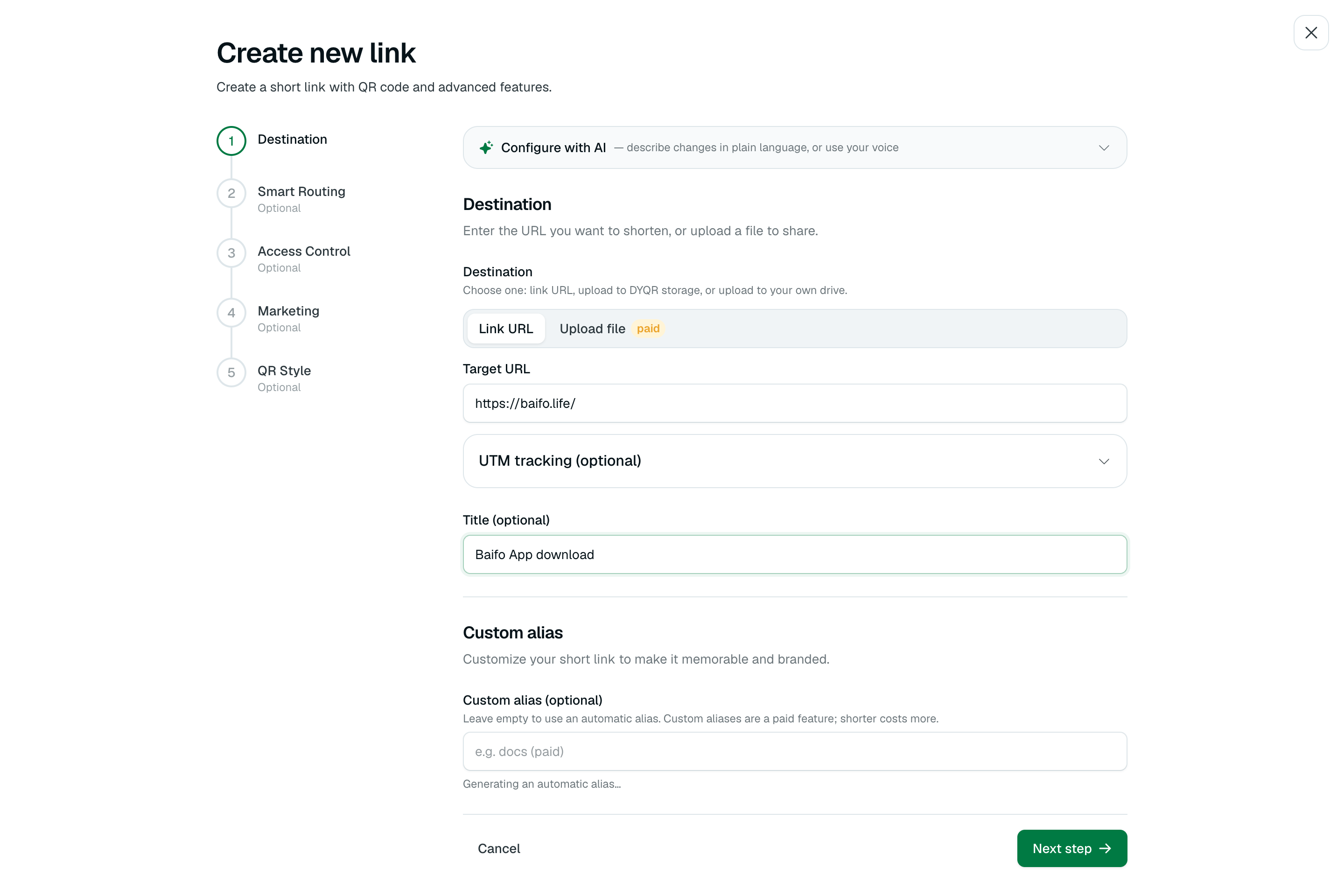
Pick the default for “most people” — for Baifo, that is the web app. iOS gets overridden by a rule in the next step.
2. Add Smart Routing: OS = iOS → App Store
On the Smart Routing step, add one rule:
- When: Operating system
- Matches: iOS
- Then go to:
https://apps.apple.com/cn/app/id6782394476(use your App Store URL)
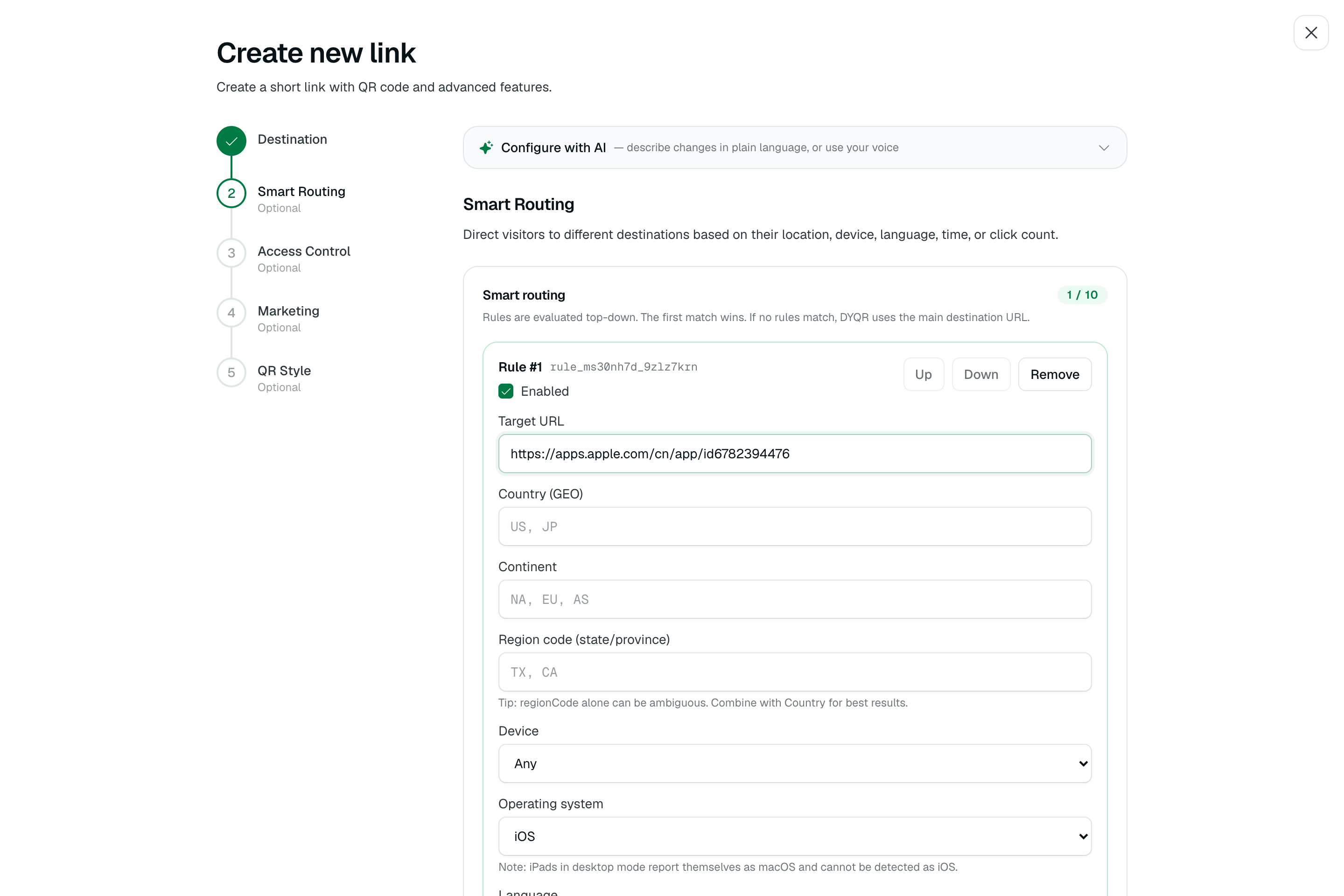
Notes:
- Use Operating system, not Device — Device is only mobile / desktop and cannot separate iPhone from Android phones
- With the rule on, iPhone (including WeChat’s in-app browser) 302s to the App Store; everyone else hits the default web URL
- Later Android store links or country-specific stores only need rule edits — no new QR art, no app release
3. Export the QR and put it on the poster
On the last wizard step, preview and export the QR. The poster embeds only this image (it encodes the short link, not the final landing URL):
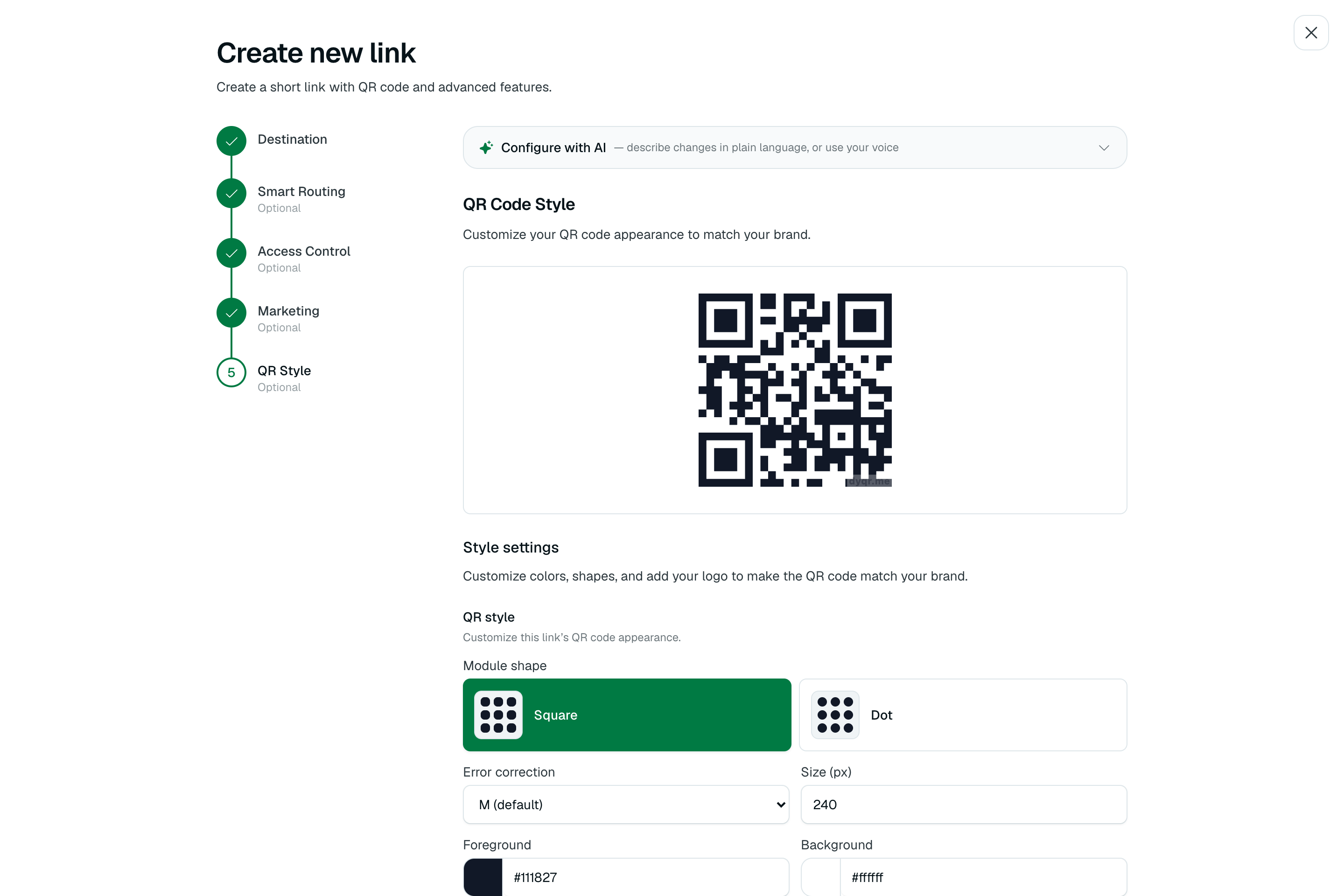
App and ops no longer maintain fork logic. What you preview is what scanners get.
4. After create
Once saved, the link appears on Links & QR codes with a QR thumbnail; title, short URL, and default destination are obvious at a glance.
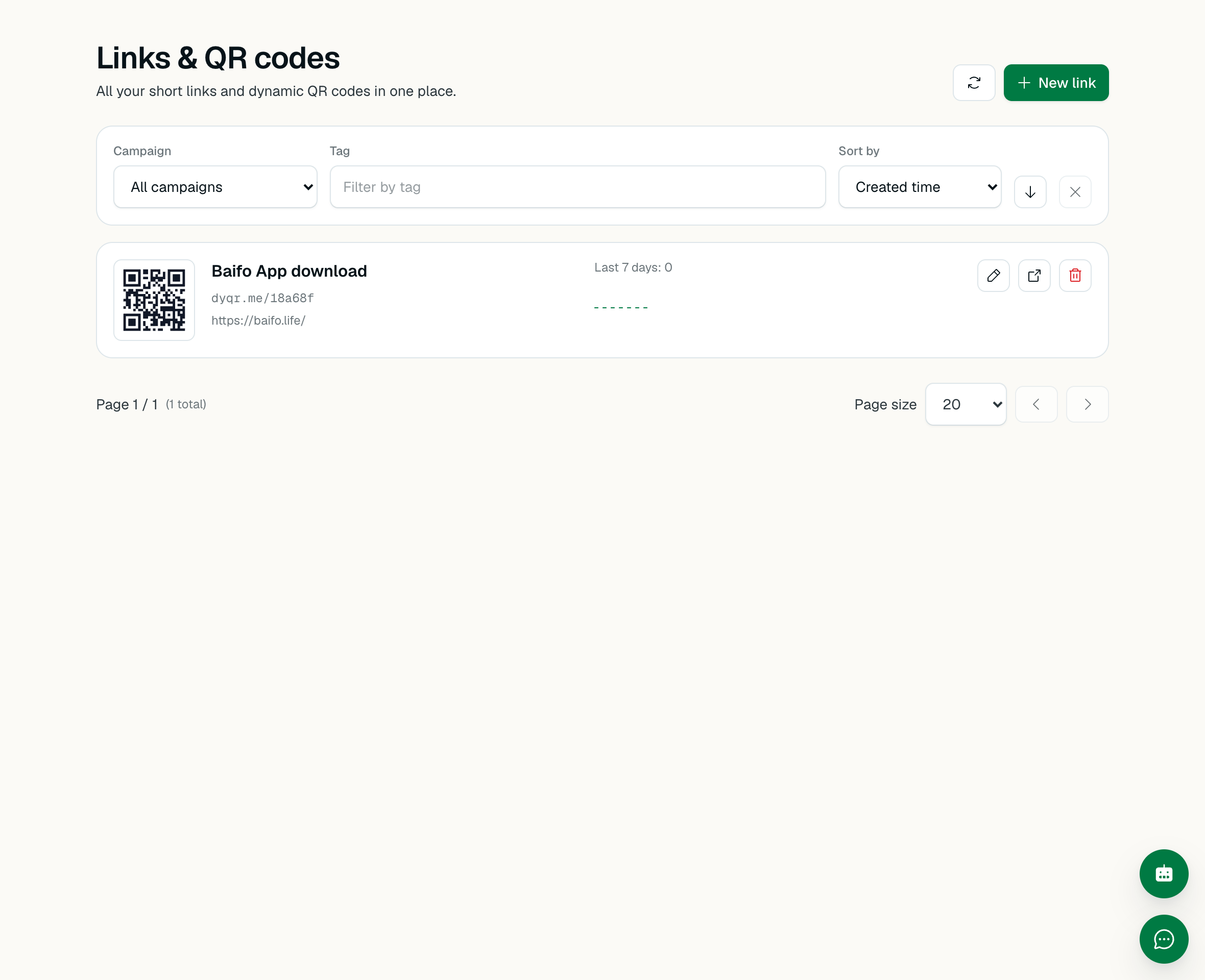
What a scan does:
- iPhone (incl. WeChat in-app browser) → App Store (rule match)
- Android / desktop browsers → baifo.life web (default)
- Analytics → every scan is recorded automatically
Optional: CLI / API
If your team prefers the terminal or automation:
npx @dyqr/cli login
dyqr link create "https://baifo.life/" --title "Baifo App download"
dyqr qr <alias> --format svg -o poster-qr.svg
Attach the OS rule (Bearer token: dashboard → Account → Connected apps):
curl -X PATCH https://app.dyqr.me/api/links/<alias> \
  -H "Authorization: Bearer <token>" \
  -H "Content-Type: application/json" \
  -d '{
    "targetUrl": "https://baifo.life/",
    "routingRules": [{
      "id": "ios_app_store",
      "enabled": true,
      "targetUrl": "https://apps.apple.com/cn/app/id6782394476",
      "conditions": [{ "type": "os", "os": ["ios"] }]
    }]
  }'
What this real integration taught the product
Real customer needs usually hit our soft spots with precision. This integration forced us to close several gaps quickly — and also re-validated the full path:
- New
oscondition:{ type: 'os', os: ['ios'|'android'|'windows'|'macos'|'linux'] }end-to-end — shared types, gateway + admin resolvers, plan gates, rule UI, AI assistant schema. UA order matters: iOS UAs containlike Mac OS X(match iOS before macOS); Android UAs containLinux(match Android before Linux). npx @dyqr/cliinstall failed: published CLI deps pointed at an unpublished workspace version, so real users 404’d on the firstlogin.- Docs and MCP out of sync: the agent skill said routing was “dashboard only” while the API already supported it — MCP simply did not expose the field.
All three showed up in a real customer path, were fixed, and re-checked on the same path.
Who this is for
If you also need a “scan once, route smart” QR — app download prompts, channel landings, content by region or device — you do not need another UA / GEO stack in your backend. Hand that layer to DYQR short links + Smart Routing: change rules in the dashboard or via API / CLI / MCP anytime; the printed QR never needs to change.